Samples · from FML
Real previs and real boards
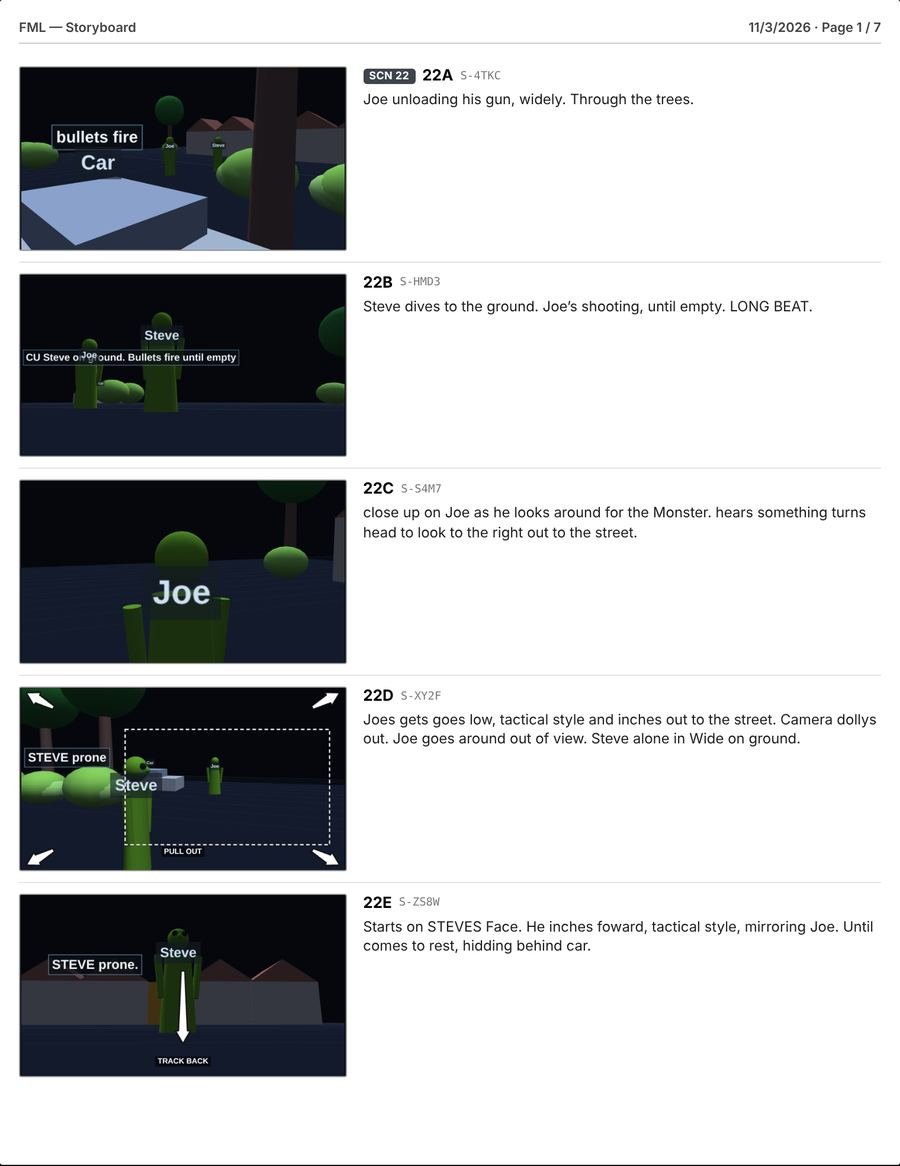
Nothing here was drawn by hand. Both come straight out of Dario from the blocking of our own film, FML: the animatic from the Previs stage, and the board page from Storyboards.
Dario is a previz tool for filmmakers and content creators. Place your actors and cameras on a floor plan, plan the moves, and Dario draws the storyboards, builds the shot list and camera setups, and plays it all back as a 3D previz animatic.
Runs in your browser · works offline on set · no account needed
I can't draw. So I made this. It was easier.Patrick, SlicedCo
You block the scene once, from overhead. Dario works out the rest from that real geometry, and the stage bar follows the order you work in. Press 1 to 5 to jump between stages.
Draw the set, place actors, props and cameras, block the moves, and add a shot for each angle.
Every shot gets a frame drawn from your blocking in 3D, with move arrows. Nothing to sketch.
String scenes into a sequence and play it back as a 3D animatic, full-window in the Cinema viewer.
Every shot in an editable table. Build camera setups and see the shooting order.
Every export in one place: boards, shot lists, shot cards, setup lists and a video render.
Nothing here was drawn by hand. Both come straight out of Dario from the blocking of our own film, FML: the animatic from the Previs stage, and the board page from Storyboards.
Dario slates shots the way crews already do, as scene number plus shot letter, and gives each one a permanent Shot ID that is printed on boards, cards and the animatic. Lock a shot when it's final, then filter, sort and export the list as a PDF or CSV.
| Shot | ID | Size | Lens | Move | Description | Setup |
|---|---|---|---|---|---|---|
| 12A | S-K7QM | MS 2-shot | 35mm | Dolly R→L | Maya and Jo at the table, push along the track as Jo sits | A |
| 12B | S-R2HV | MCU | 50mm | Static | Maya, over Jo's shoulder | B |
| 12C | S-N8TD | MCU | 50mm | Static | Jo, reverse over Maya's shoulder | C |
| 12D | S-W4PX | WS | 24mm | Pan L | From the counter as Jo exits through the door | B |
Actor moves are drawn like marks on the floor: a dotted path, an X where they start and a dot where they land. Each move shows its speed, so a sprint by accident stands out.
See what each camera sees as you place it. Real lenses from 12 to 200mm, true camera heights, tilt, dutch angles, and 16:9 through 2.39:1.
Turn on Annotate to see who looks at whom and where the line of action runs. A camera that crosses it gets a red ring.
Build setups groups shots by camera position, lens and aim, then orders them for the day and flags every turnaround.
Every shot gets a frame automatically, rendered from its camera at the start of the move, and it updates when the blocking changes. Capture your own moment from the timeline whenever you like.
Render the animatic as a PNG sequence with a shot marker list and import steps for DaVinci Resolve.
Shot lists and shot cards with storyboard frames, and setup lists for the AD. Export one scene, all scenes or a Previs sequence, at about 1 MB a scene.
1 to 5 for stages, V, C and A for tools, and Space, J, K and L to play the animatic.
A project is one file on your computer. Nothing is uploaded, there's no account, and everything works offline.
Dario installs from your browser like an app. Once installed, it opens and works without an internet connection.
Dario comes from SlicedCo, an independent production company. It started as the tool we wanted on our own shoots: something quicker than drawing overheads by hand, and simpler than production suites built for big studios.
We use it to plan our own films, and we'll keep shaping it around what directors, DPs and ADs tell us they need.
Every feature is open during the beta. Use it on a real project and tell us what works and what doesn't. Updates arrive on their own: when a new version is ready, Dario offers to reload.
Nothing. Dario is free during the beta. When the beta ends, Dario will move to a paid plan, and we'll tell beta users well ahead of time.
On your computer. Saving downloads a project file you can keep, back up and send to your team. Dario also keeps an automatic copy in the browser to recover from a crash, but your project files are the real copy.
No. Open Dario and start blocking.
Chrome, Edge or Safari on a Mac or PC works best. Aiming cameras and rotating objects use right-click, so you'll want a mouse or trackpad. It opens on an iPad, but touch is awkward for now.
Yes, once you install it from the browser. See "Offline on set" above.
Get in touch through slicedco.com. We read everything during the beta.